

The popular advice is simple: hash the file in React, send the digest with the upload, and you’ve added a security layer. That framing is wrong. Client-side hashing is primarily a UX optimisation, duplicate-detection mechanism, and audit breadcrumb. It isn’t proof that the browser sent an authentic file.
This guide is for React developers, frontend engineers, full-stack teams, and technical leads building secure file-upload workflows for SaaS, fintech, Web3, blockchain, AI, and enterprise applications. You’ll get a production-oriented React file upload flow covering selection, validation, SHA-256 hashing, progress, cancellation, retries, duplicate detection, and server-side verification, including the point where browser-generated trust ends.
Table of Contents
- Why Hash a File in the Browser Before It Leaves the User
- Selecting and Preparing a File in React
- Generating a SHA-256 Hash With the Web Crypto API
- Client-Side Hashing Compared to Server-Side Options
- Uploading the File and Verifying the Hash on the Server
- Handling Large Files, Memory, and Progress
- Security Limits of Client-Side Hashing
- Production Checklist and How Blocsys Can Help
- Frequently Asked Questions About React File Hashing
- How do you hash a file in React before uploading
- How do I generate a SHA-256 hash of a file in React?
- Can I hash a file on the client side?
- Should I hash a file before uploading it?
- Is SHA-256 suitable for a React file upload flow?
- Does the Fetch API provide upload progress?
- How should React handle a cancelled upload?
- What’s the safest way to detect duplicate files?
- How do large files change the implementation?
- Is client-side hashing a security control?
Why Hash a File in the Browser Before It Leaves the User
A browser hash can save work before a network request begins. If the backend already knows the digest, the client can ask whether an identical object exists, avoid transferring duplicate bytes, and show a stable file identifier in the interface. That makes React client-side file hashing useful as an optimisation, not as an authority.
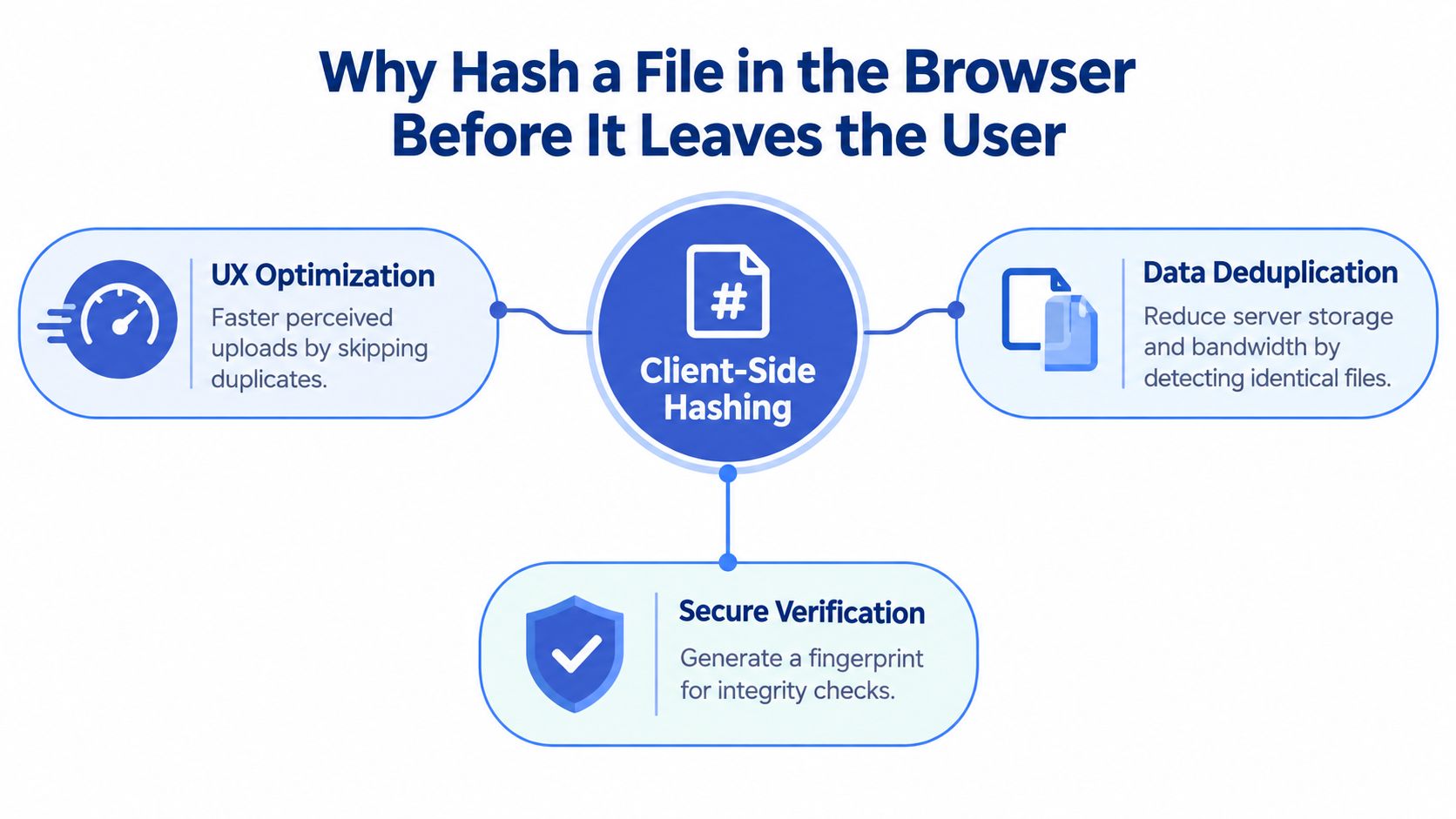
A hash can support several practical behaviours:
- Duplicate detection: Ask the API whether the content fingerprint is already associated with an uploaded object.
- Perceived speed: Let users know that a matching file can be reused without sending the same bytes again.
- Stable references: Display or log a digest when support teams need to identify a reported upload.
- Metadata preparation: Associate file type, size, name, and digest before the upload session is created.
The server still has to read the received bytes and calculate its own digest. The browser’s value is a claim that helps the server make an efficient decision. It isn’t evidence that the file is genuine, unmodified, or safe.
That distinction matters in regulated workflows. Indian cybersecurity guidance recommends modern SHA-2 and SHA-3 family hashes, and it distinguishes ordinary hashing from password hashing, where a password, unique salt, and cost factor are inputs. The guidance also says each credential should use a unique salt, with the resulting hash stored separately, so a file fingerprint shouldn’t be confused with a password-storage design. India’s NCCS cryptographic-control guidance provides the relevant security context.
Practical rule: Treat the client digest as an inexpensive filter. Treat the server digest as the value that controls storage, acceptance, and audit decisions.
For teams designing document workflows, the distinction between local processing and API metadata is explored in Blocsys’ approach to hashing documents locally. The same principle applies to a Secure React File Upload flow: compute locally when it improves the experience, but keep the trust boundary on the backend.
Selecting and Preparing a File in React
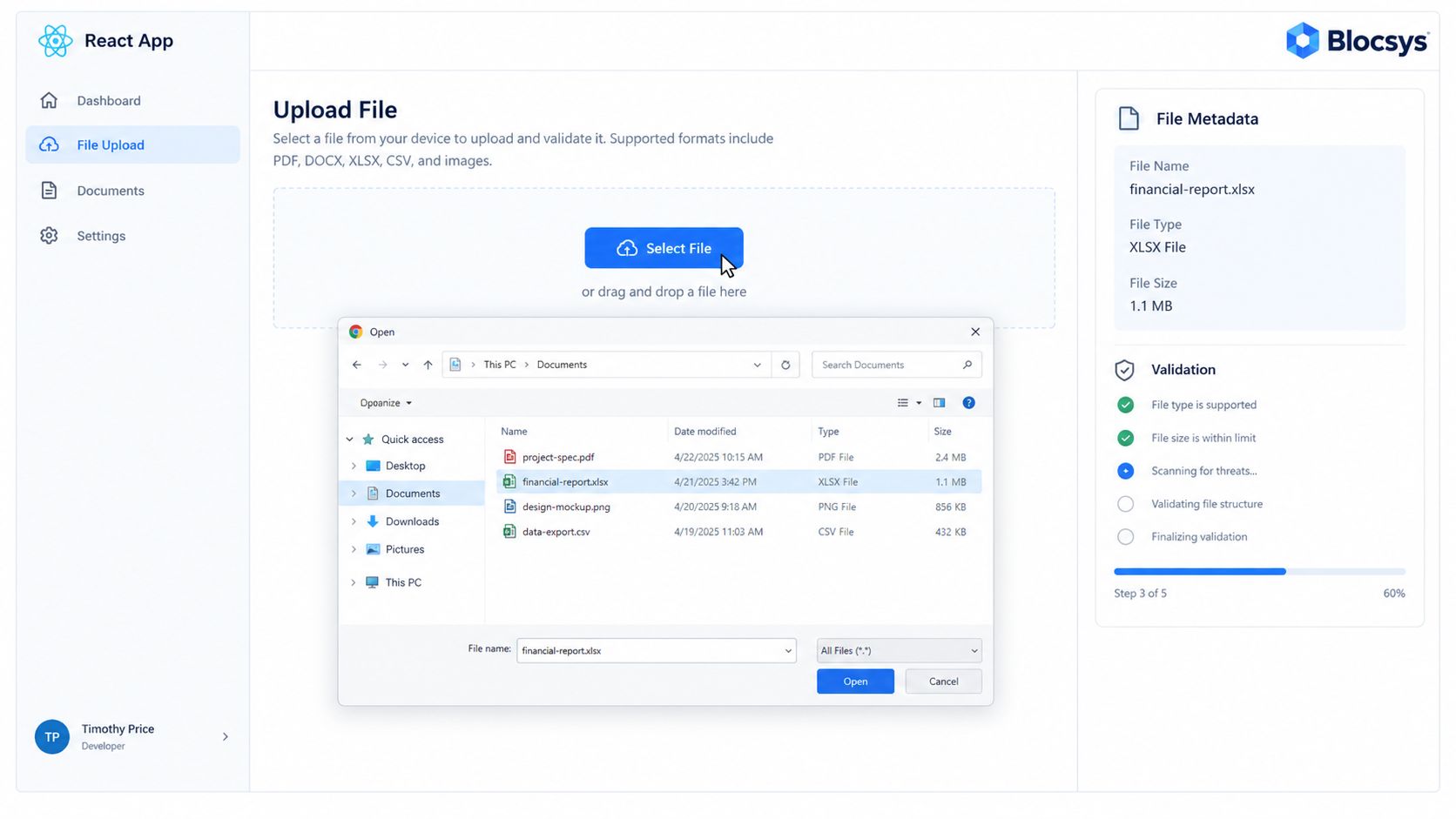
Hashing should never be the first operation after a user selects a file. Start with a predictable input layer, reject invalid files early, and keep the accepted File object in state so every later step works from the same source.
Use both MIME and extension checks where your policy requires them. Neither value is proof of file content, but they’re useful early filters. Enforce a size limit before reading the file into memory, and report the reason for rejection instead of resetting the component without feedback.
import { useState } from "react";

const allowedTypes = new Set([
  "application/pdf",
  "image/png",
  "image/jpeg"
]);

const allowedExtensions = /.(pdf|png|jpe?g)$/i;
const maxBytes = 25 * 1024 * 1024;

export function FilePicker({ onReady }) {
  const [file, setFile] = useState(null);
  const [error, setError] = useState("");

  function accept(candidate) {
    setError("");

    if (!candidate) {
      setFile(null);
      return;
    }

    const validType = allowedTypes.has(candidate.type);
    const validExtension = allowedExtensions.test(candidate.name);

    if (!validType || !validExtension) {
      setFile(null);
      setError("Choose a PDF, PNG, or JPEG file.");
      return;
    }

    if (candidate.size > maxBytes) {
      setFile(null);
      setError("The selected file exceeds the allowed size.");
      return;
    }

    setFile(candidate);
    onReady(candidate);
  }

  return (
    <>
      <input
        type="file"
        accept=".pdf,.png,.jpg,.jpeg"
        onChange={(event) => accept(event.target.files?.[0])}
      />
      {file && <p>{file.name}</p>}
      {error && <p role="alert">{error}</p>}
    </>
  );
}
For drag and drop, call the same accept function from onDrop, and call event.preventDefault() in onDragOver. Don’t maintain separate validation logic for the input and drop zone. That’s how small policy differences creep into a React upload component.
The modern preparation path is await file.arrayBuffer(), which returns the bytes used by the digest operation. It’s straightforward for smaller files, but it loads the complete file into memory. Large uploads need a worker and chunked reads, covered below.
Generating a SHA-256 Hash With the Web Crypto API
The Web Crypto API gives you a browser-native way to calculate a SHA-256 digest:
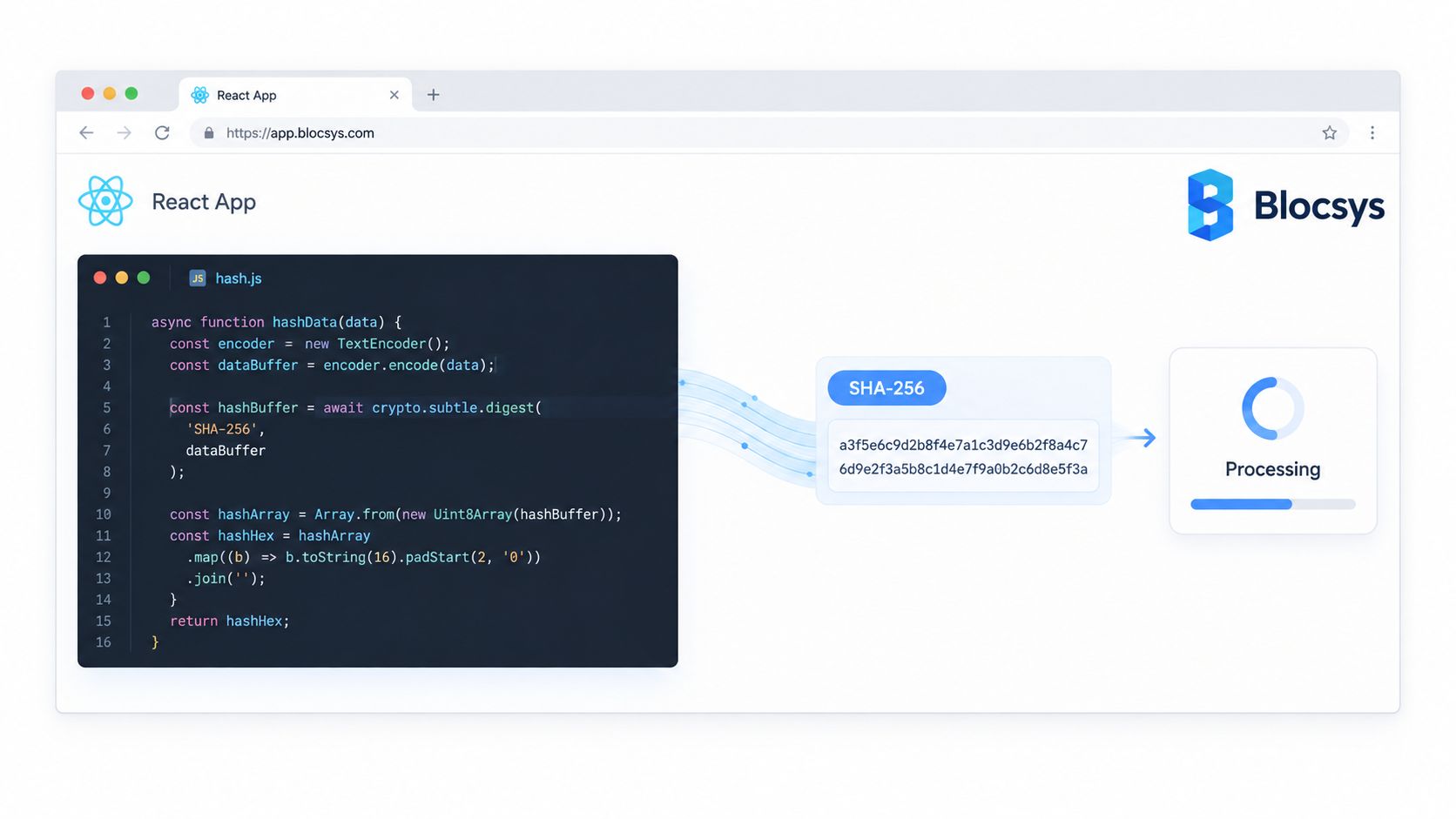
export async function sha256Hex(buffer) {
  if (!globalThis.crypto?.subtle) {
    throw new Error(
      "SHA-256 hashing requires Web Crypto in a secure context."
    );
  }

  const digest = await globalThis.crypto.subtle.digest(
    "SHA-256",
    buffer
  );

  return Array.from(new Uint8Array(digest), (byte) =>
    byte.toString(16).padStart(2, "0")
  ).join("");
}
crypto.subtle.digest() accepts an ArrayBuffer, TypedArray, or DataView and returns a promise containing the digest bytes. The await is important because the operation is asynchronous. The browser can return control to the event loop rather than forcing your React event handler to sit in a synchronous JavaScript hash loop.
The API is available in a secure context, normally HTTPS or localhost. Keep the runtime guard even if your production deployment always uses HTTPS, because it converts an opaque platform failure into a useful message for development and misconfigured environments.
SHA-256 is an appropriate default when the digest participates in integrity checks, server verification, or an audit record. Faster non-cryptographic functions can reduce preprocessing cost, but they don’t provide the same cryptographic properties. One benchmark reported SHA-256 around 1.7–2.1 GB/s in optimised server environments, while XXHash3 reached about 36.7 GB/s on AMD in that benchmark set, demonstrating why algorithm choice can materially affect preprocessing time. The benchmark comparison is useful for framing the trade-off, but browser performance still needs device-specific testing.
For teams also considering browser-based encryption, keep the concepts separate. Hashing creates a digest and doesn’t conceal file contents. Encryption protects confidentiality, but it adds key-management and recovery decisions that a checksum alone doesn’t solve.
A related document concern is canonicalisation. If two representations of a document can differ before hashing, the same logical content may produce different digests. Blocsys’ discussion of deterministic document hashing is relevant when your application hashes normalised documents rather than raw uploaded bytes.
Client-Side Hashing Compared to Server-Side Options
The right design depends on what the digest does. If it accelerates duplicate checks, browser hashing can be valuable. If it decides whether the backend accepts a file, the backend must calculate and enforce its own value.
| Dimension | Client-side hash, browser | Server-side hash, backend | Checksummed upload service, e.g. S3 + Lambda | Verdict |
|---|---|---|---|---|
| Duplicate detection before transfer | Strong | Requires bytes to arrive first | Depends on service design | Client-side wins for early filtering |
| Trustworthiness | Browser-supplied claim | Server-controlled result | Provider-controlled result | Server or provider wins |
| Large-file memory pressure | Can be high without chunking | Centralised resource planning | Usually suited to object-storage pipelines | Backend or managed service is simpler |
| Offline-friendly feedback | Possible before upload | Not available offline | Usually unavailable before transfer | Client-side wins |
| Audit authority | Useful as a claimed value | Suitable for authoritative records | Suitable when provider exposes verification | Store server-verified digest |
| Implementation control | Full application control | Full application control | Lower infrastructure burden, more integration constraints | Match the tool to the threat model |
A client-side digest works well for instant duplicate detection, resumable-upload keys, and preflight validation. A server-side digest is preferable where files are large, where browser memory is constrained, or where an internal system already hashes content at ingestion.
Checksummed upload services can be a sensible middle ground for object-storage-heavy products. They reduce backend transport work and can align with multipart upload behaviour, but you still need to understand which checksum is calculated, where it’s stored, and whether your application verifies it before marking a business record complete.
Decision test: Ask whether the digest is an accelerator or an authoritative proof. Use the browser for the first job, and the server for the second.
Benchmark preprocessing separately from transport. A practical matrix measures small, medium, large, and very large files across stable broadband, mobile, weak Wi-Fi, and packet-loss conditions, recording preprocessing time, retries, and total time to usability. This upload-performance testing framework is a useful starting point for test design.
Uploading the File and Verifying the Hash on the Server
The upload request should carry the digest as metadata, but the API must treat it as untrusted input. A common contract uses multipart form data:
const controller = new AbortController();

async function uploadFile(file, clientHash, onProgress) {
  const form = new FormData();
  form.append("file", file);
  form.append("client_sha256", clientHash);

  const response = await fetch("/api/uploads", {
    method: "POST",
    body: form,
    signal: controller.signal
  });

  if (!response.ok) {
    const detail = await response.json().catch(() => ({}));
    throw new Error(detail.message || "Upload failed.");
  }

  return response.json();
}
The backend should stream or read the received bytes, calculate its own SHA-256 digest, compare it with client_sha256, and reject a mismatch. The response should distinguish a digest mismatch from an authentication error, policy rejection, storage failure, or cancellation, because each condition needs different client behaviour.
A content-addressable design can use the server-verified digest as a lookup key. The API checks whether the object already exists, then returns a duplicate result or creates a new upload record. Use an idempotency token as well. A digest identifies content, while an idempotency token identifies an attempted operation, and those aren’t interchangeable in workflows where the same content can be attached to different records.
Cancellation belongs in the contract. AbortController stops the browser request, but the backend and storage layer still need cleanup for incomplete multipart objects. Retry logic should reuse the same idempotency token, avoid creating a second logical record, and distinguish safe retryable failures from validation failures.
Structured logs should record the client-claimed digest, server-verified digest, upload identifier, outcome, and relevant request context. Don’t log file contents, and consider whether exposing a digest to unauthorised users could reveal that a known sensitive file exists.
For products that model uploaded evidence as a sequence rather than a single event, collecting memories step by step offers a useful conceptual comparison. Document integrity and evidence workflows also benefit from a clear separation between what the browser claimed and what the server confirmed. Blocsys’ digital-proof perspective addresses that distinction directly.
Handling Large Files, Memory, and Progress
await file.arrayBuffer() is convenient, but it creates a full in-memory representation before hashing. With a large file, that can pressure the renderer, compete with the upload’s own buffers, and make the interface appear frozen on lower-powered devices.
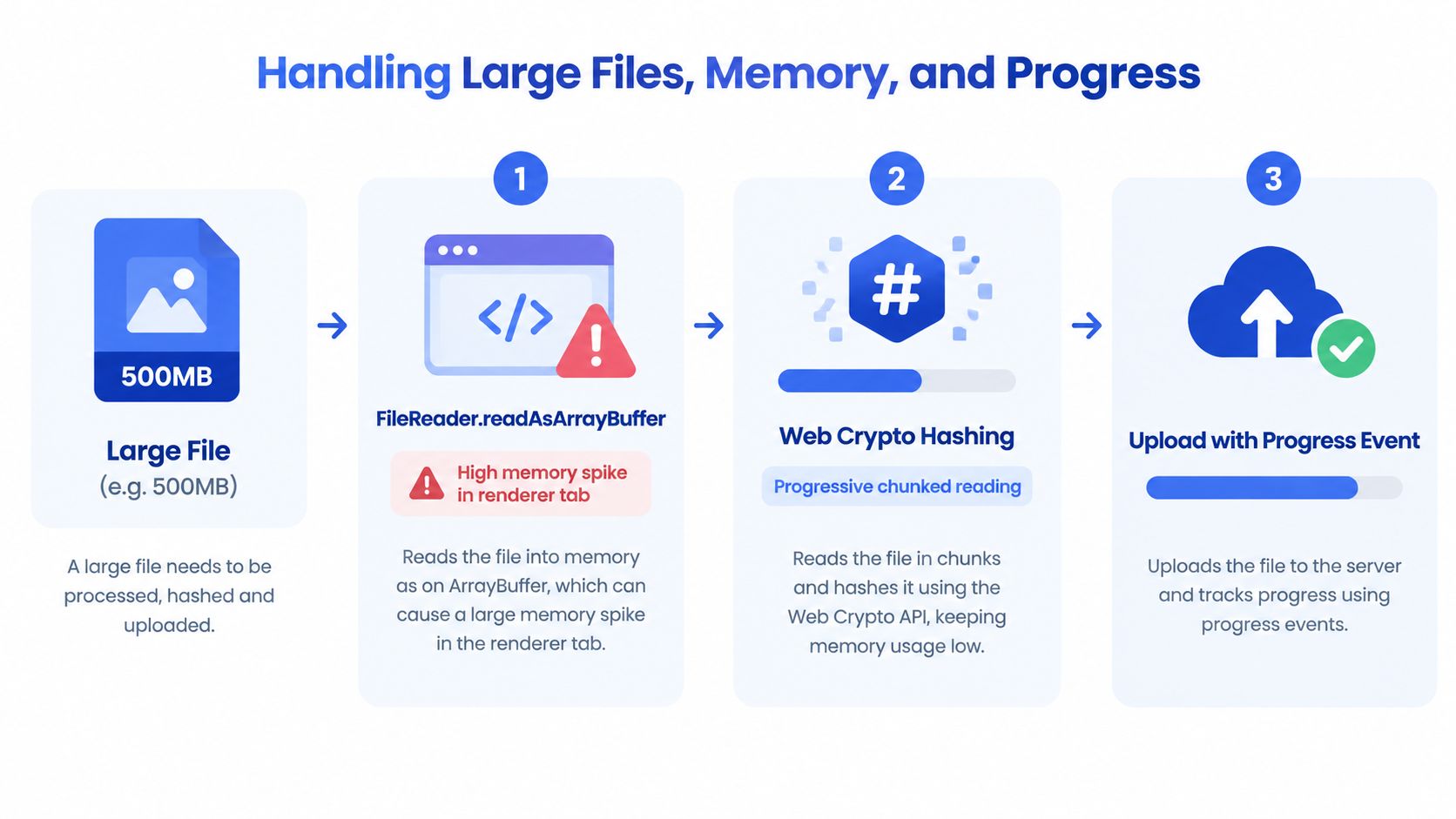
The browser’s built-in SubtleCrypto.digest() API isn’t an incremental hashing interface. It accepts the complete input for one digest operation, so chunking reads alone doesn’t produce a single SHA-256 file digest unless you use a suitable incremental implementation or move the operation to a service that supports streaming.
A practical architecture uses a dedicated Web Worker:
- Main thread: Owns React state, progress rendering, cancellation controls, and accessibility announcements.
- Worker: Reads
Blob.slice()ranges and performs incremental hashing without competing directly with rendering. - Upload layer: Sends the original
File, or streams chunks through a resumable protocol. - Progress model: Reports hashing progress and network progress as separate phases.
Don’t combine hashing and upload percentages into one misleading number. A user can be waiting for local preprocessing even though network progress is still zero. Show “Preparing file” during hashing, then “Uploading” once bytes begin moving.
India’s connectivity profile makes this distinction operationally important. In Q1 2025, average broadband upload speed across Indian ISPs was 53.2 Mb/s, with ACT Fibernet at 103.2 Mb/s and Airtel at 50.7 Mb/s. For the 01.07.2025 to 30.06.2026 period, nationwide average broadband upload was 56.9 Mb/s, while average mobile upload was 12 Mb/s, according to India’s telecommunications performance consultation document. Mobile upstream capacity can therefore be materially more constrained than fixed broadband, so progress, chunking, and resume support aren’t cosmetic features.
A single worker is easier to reason about than a parallel chunk pool. Parallelism can increase throughput on some devices, but it raises memory pressure, scheduling complexity, and cancellation edge cases. For resumable uploads, align chunk boundaries with the storage protocol, such as S3 multipart or tus, while keeping the final server-side digest authoritative.
Security Limits of Client-Side Hashing
A SHA-256 value calculated in the browser is an integrity hint, not an authenticity guarantee. The user controls the browser environment, the page runtime, and potentially the code that reads the File object.
An attacker could alter the hashing routine, replace the file before the digest is calculated, or manipulate the request so the server receives a different value. If a malicious page replaces both the file and the claimed hash, a backend that trusts the client has no meaningful verification at all. A phishing page can also imitate the upload interface and collect sensitive files before the legitimate application sees them.
The architecture should respond directly:
- Re-hash on the server. Never accept the browser digest as the final integrity value.
- Authenticate the upload session. A hash doesn’t establish who uploaded the file.
- Validate content independently. Inspect file signatures, parse permitted formats safely, scan where appropriate, and enforce authorisation.
- Protect the runtime. Use a strong Content Security Policy, dependency controls, and deployment integrity practices.
- Treat attestations carefully. A signed digest only carries trust when the signing key and client environment are trusted.
| Use case | Client hash sufficient? | Why |
|---|---|---|
| Skip an obvious duplicate transfer | Yes, as a preliminary lookup | The server can confirm before reusing the object |
| Display a file fingerprint | Usually | It’s a useful reference, not proof |
| Authorise access to a document | No | A digest doesn’t identify or authenticate the requester |
| Prove what reached storage | No | The server must calculate and retain its own digest |
| Detect accidental transfer corruption | Helpful, with server comparison | The receiving system must perform the comparison |
| Prove file authenticity | No | The browser and file source aren’t trusted by default |
Canonicalisation creates another trap. A file’s bytes, metadata, and normalised representation may hash differently, so teams need to define whether they’re verifying the raw upload or a canonical document form. Blocsys’ explanation of metadata canonicalisation is relevant when deterministic comparison matters.
India’s guidance reinforces the need for deliberate cryptographic design, including approved modern hash families and unique salts for password hashing. In digital-asset products, FIU-IND’s 2024–25 reporting also highlights offshore Virtual Digital Asset Service Providers, AML/CFT obligations, and data-driven enforcement, making upload records and verification logs part of a broader compliance workflow rather than an isolated frontend feature. The FIU-IND compliance analysis provides that regulatory context.
Production Checklist and How Blocsys Can Help
A production review should test the complete path, not just whether a digest appears in the console.
- Web Crypto availability: Prevents confusing failures in insecure or unsupported contexts.
- Single validation path: Stops input and drop-zone rules from diverging.
- Worker-based processing: Protects rendering from large-file CPU and memory pressure.
- Chunked reads: Keeps peak memory related to processing chunks rather than the entire file.
- Separate progress phases: Prevents users from mistaking hashing time for a stalled network.
- AbortController support: Gives users a real cancellation action.
- Retry with idempotency: Avoids ghost records and duplicate storage objects.
- Server re-verification: Stops attacker-controlled client values from becoming authoritative.
- Digest audit storage: Preserves the difference between claimed and verified content.
- Mismatch telemetry: Helps engineering teams find device, browser, and transport-specific failures.
- CSP and dependency controls: Reduce the chance that the hashing or upload path is modified in the page runtime.
- Content validation: Ensures a correct digest doesn’t make a dangerous or unauthorised file acceptable.
Blocsys Technologies works with fintechs, exchanges, and digital-asset businesses on production-ready blockchain and AI-powered platforms. For this specific problem, that can include a greenfield React upload component, retrofitting an existing flow with workers and resumable chunks, reviewing the client-to-server trust boundary, or implementing verification and audit services for a compliance-sensitive platform.
Teams that need broader ledger infrastructure can also evaluate Blockchain Development, which covers custom blockchain development services for enterprises, startups, and governments using public, private, and hybrid blockchain networks. Hash records may support an application audit trail, but they shouldn’t be written to a blockchain unless the privacy, retention, and disclosure model has been assessed.
For evidentiary workflows, cryptographic audit trails from Blocsys provide a useful reference point for separating an event record from the cryptographic evidence attached to it. The adoption path is practical: audit an existing upload flow first, introduce server verification and telemetry, then move hashing into a worker and add chunked or resumable transport where real device testing shows the need.
Blocsys Technologies can help you design and build a secure React file-upload system with client-side hashing, server-side verification, progress reporting, and audit-ready API integration. Visit Blocsys Technologies to discuss a new upload component, a production hardening review, or a broader fintech, Web3, blockchain, or enterprise application build.
Frequently Asked Questions About React File Hashing
How do you hash a file in React before uploading
Read the selected File with await file.arrayBuffer(), pass the buffer to crypto.subtle.digest("SHA-256", buffer), and convert the returned bytes to hexadecimal. Send that digest with the upload, but make the server calculate its own digest before accepting the file.
How do I generate a SHA-256 hash of a file in React?
Use the Web Crypto API inside an asynchronous function. Check that crypto.subtle exists, await the digest promise, and convert the resulting ArrayBuffer to a lowercase hexadecimal string. For large files, move processing to a Web Worker and avoid loading the entire file into the main thread.
Can I hash a file on the client side?
Yes. Modern browsers can calculate SHA-256 locally through crypto.subtle.digest(). Client-side hashing can support duplicate detection, upload preparation, and user feedback, but it doesn’t prove authenticity because the browser environment is controlled by the user.
Should I hash a file before uploading it?
Hash it before uploading when the digest improves a real workflow, such as checking for an existing object or preparing a resumable-upload key. Don’t use pre-upload hashing as a replacement for server-side validation, malware controls, authorisation, or server-side digest verification.
Is SHA-256 suitable for a React file upload flow?
SHA-256 is a practical choice when the digest supports integrity verification, duplicate detection, or an audit record. Faster non-cryptographic hashes may reduce preprocessing time, but they’re not equivalent where cryptographic collision resistance is part of the requirement.
Does the Fetch API provide upload progress?
Fetch provides a clean promise-based request API, but upload progress support has historically been less consistent across browser implementations than XMLHttpRequest. If reliable upload progress is essential, use an upload abstraction that exposes progress events or use XMLHttpRequest where your browser support matrix requires it.
How should React handle a cancelled upload?
Create an AbortController for each upload operation and pass its signal to the request. Reset the UI to a cancellable or retryable state, and make the backend clean up incomplete multipart data rather than assuming that aborting the browser request removes server-side state.
What’s the safest way to detect duplicate files?
Use the client hash as a preliminary lookup, then have the server confirm the content using its own digest and authorisation rules. Don’t expose duplicate status for sensitive objects to unauthorised users, because a fingerprint lookup can reveal that a known file exists.
How do large files change the implementation?
Large files require careful memory management. Prefer Web Workers, chunked reads, incremental hashing where the chosen library or service supports it, and resumable uploads. Display hashing and network progress as separate phases so users can see whether the browser or the connection is doing the work.
Is client-side hashing a security control?
No. It’s an optimisation and an integrity signal. A malicious or modified client can calculate a false digest, replace the file, or alter the request, so the backend must re-hash received bytes and independently enforce file type, size, authorisation, content safety, and storage policy.
