
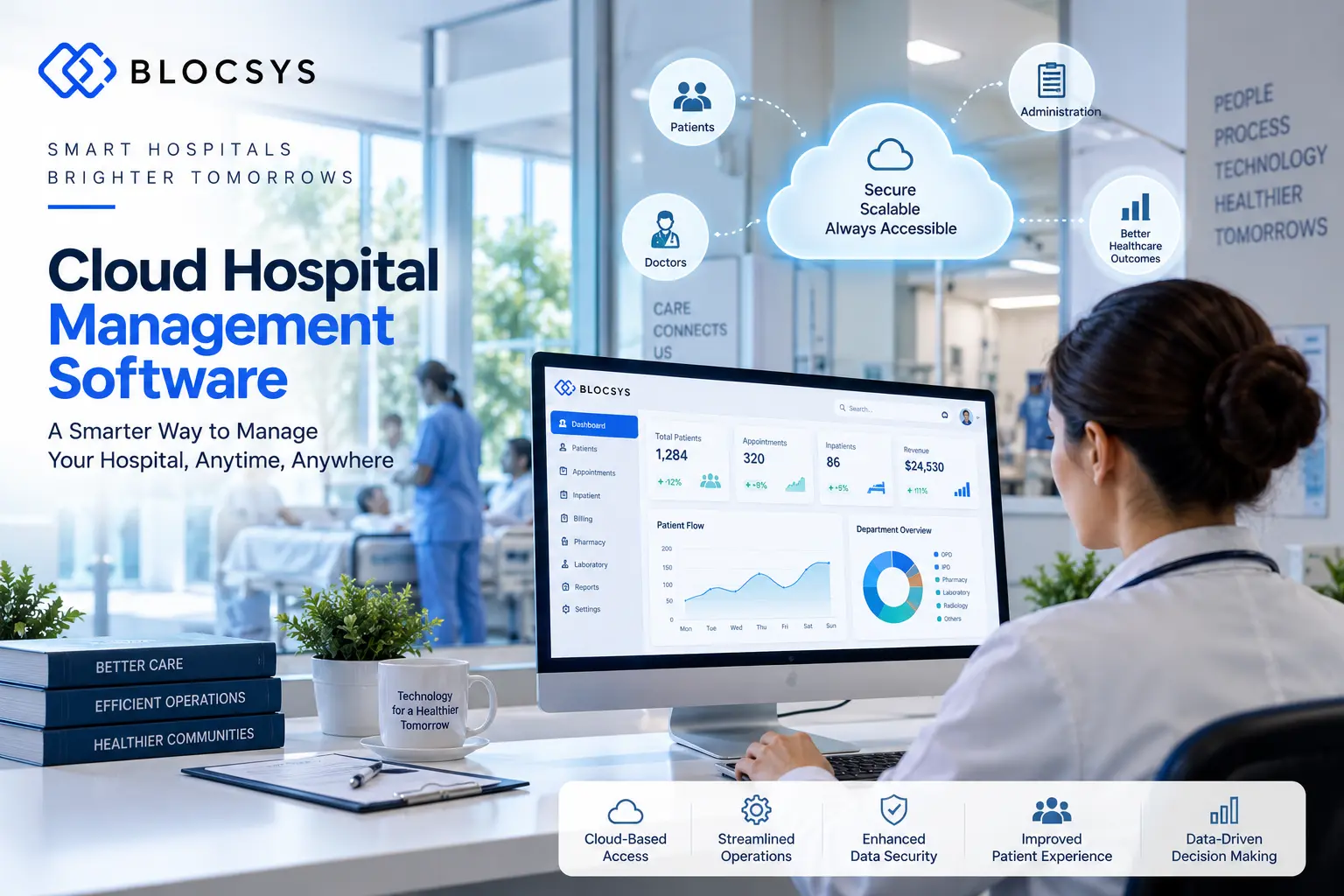
A hospital administrator starts the morning with an OPD queue growing at reception, while a nurse calls the laboratory for a pending report, the pharmacy team checks stock in a spreadsheet, and the billing desk searches for an insurance authorisation in another system. By afternoon, the medical director wants a reliable view of admissions, revenue, bed occupancy and outstanding claims, but the data is scattered across disconnected applications.
Cloud Hospital Management Software addresses this problem by bringing patient, clinical, operational and financial workflows into one connected platform. This guide is for hospital owners, administrators, CIOs, CTOs, clinics, diagnostic centres, multi-specialty hospitals and healthcare IT teams evaluating a cloud hospital management system in India, the UAE, the UK, the US, Singapore, Australia or Europe.
You’ll learn how cloud HMS works, which modules matter, how cloud compares with on-premise deployment, what security and ABDM integration require, how to plan implementation, and which questions should shape your vendor evaluation. For organisations planning a connected healthcare platform, Blocsys Technologies provides a relevant starting point for exploring healthcare software development and enterprise technology options.
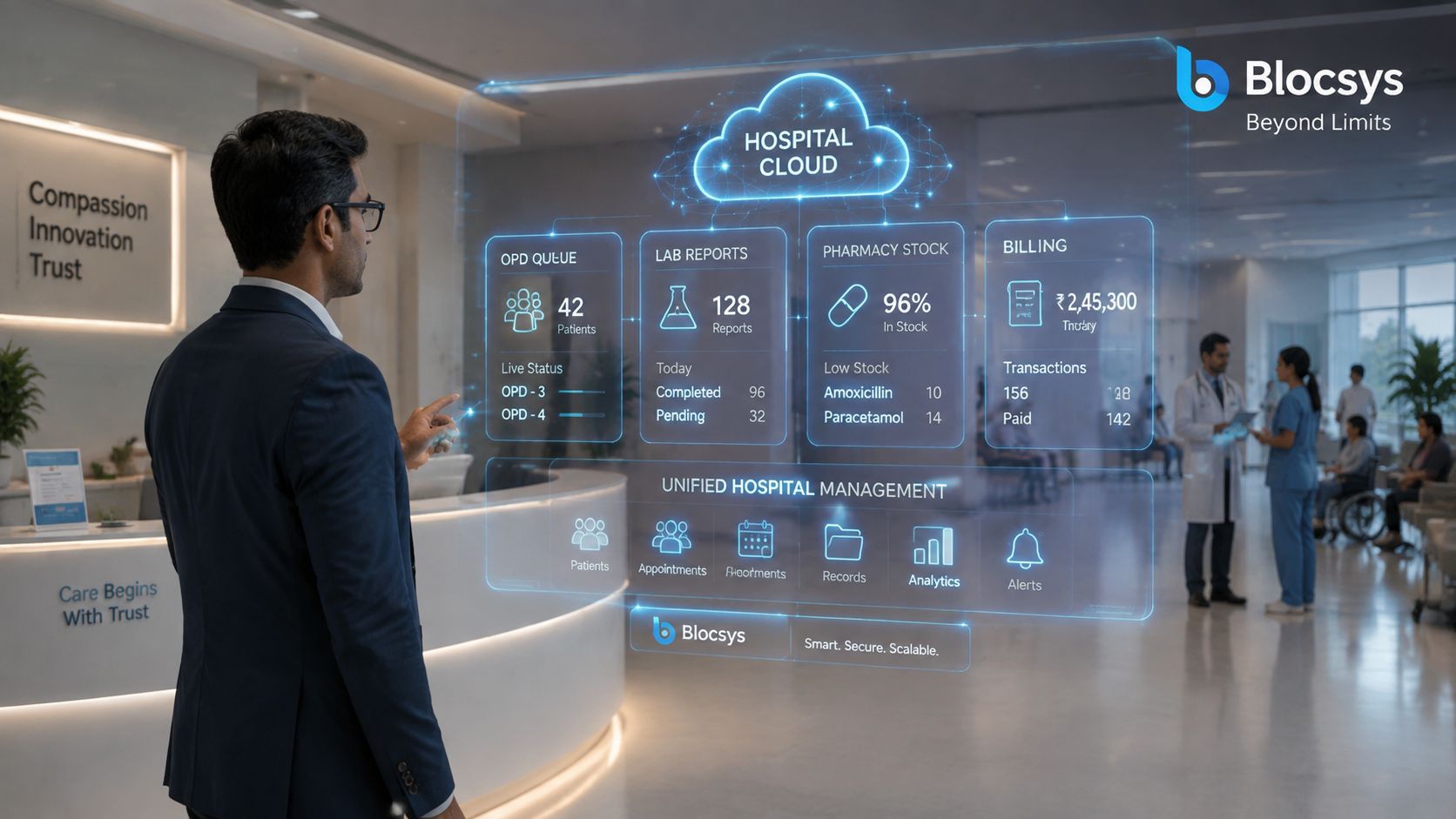
Table of Contents
- Introduction to Cloud Hospital Management Software
- What Is Cloud Hospital Management Software and How It Works
- Key Features of Cloud Hospital Management Software
- Cloud vs On-Premise Hospital Management Software Compared
- Security Data Privacy and ABDM Integration in Cloud HMS
- How to Choose Implement and Budget for Cloud HMS
- Why Choose Blocsys for Cloud Hospital Management Software
Introduction to Cloud Hospital Management Software
A patient’s registration may be digital while clinical notes remain on paper, pharmacy records sit in a separate application, and management reports arrive after manual reconciliation. For hospital owners and CIOs, the challenge is not adding another screen. It is connecting clinical care, daily operations and financial control in one reliable platform.
India’s hospital information system market generated about USD 4.08 billion in 2024 and is projected to reach roughly USD 12.9 billion by 2030, representing a 21.3% CAGR, according to Ken Research’s analysis of clinical digitisation and HMS adoption in India. The analysis also describes cloud deployment as the largest and fastest-growing segment.
Adoption remains uneven across workflows. Billing and revenue management is live in 81% of hospitals, and patient registration in 78%. EHR and clinical notes reach 42%, radiology and PACS 38%, and analytics dashboards 29%, according to the same analysis.
The practical lesson is simple. Digital registration and billing alone do not create a connected hospital. A cloud HMS should link the patient journey, from registration and consultation to diagnostics, medication, billing and management oversight.
Practical rule: Choose a platform that connects the patient journey, not a collection of modules that happen to share a login.
For Indian hospitals, that shared operational record should also support ABDM-aligned data exchange, DPDP-conscious governance and growth across locations. Each facility can work from its own workflows while authorised leaders receive a consistent view, reducing separate data islands as clinics, diagnostic centres or hospitals expand.
What Is Cloud Hospital Management Software and How It Works
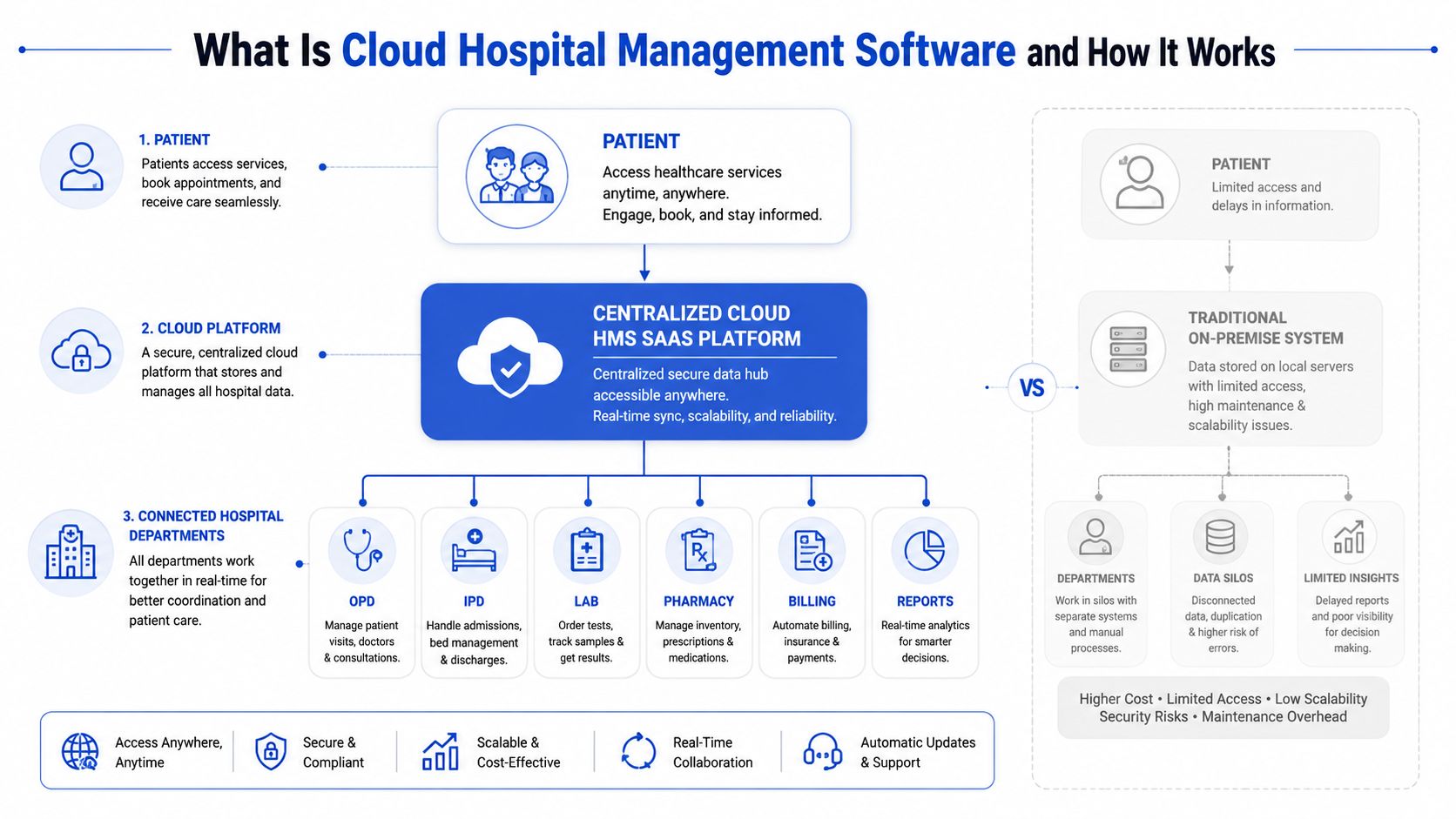
Cloud hospital management software is a hosted hospital information system that stores and processes hospital data on managed cloud infrastructure, allowing authorised users to access connected clinical, operational and financial workflows through secure applications. It can support patient management, EMR or EHR, appointments, OPD, IPD, laboratory, radiology, pharmacy, billing, insurance, accounting and analytics from a shared platform.
Think of cloud HMS as a hospital’s digital nervous system. Registration creates the patient identity, clinical teams add care information, departments consume relevant tasks, and finance records the resulting charges. APIs and interoperability services allow other systems to exchange data instead of requiring staff to type the same information repeatedly.
How the data moves through a hospital
A typical workflow follows this sequence:
- A patient books an appointment or arrives at reception.
- Staff confirm identity, demographics, payer information and consent.
- The clinician records consultation details in the EMR or EHR.
- Orders move to laboratory, radiology, pharmacy or other departments.
- Results and clinical updates return to the patient record.
- Charges flow into billing, insurance or TPA workflows.
- Accounting and management dashboards receive authorised summaries.
Role-based access determines which parts of this journey each user can view or change. A pharmacist needs medication and prescription information, while a finance user may need charges and payment status but not unrestricted clinical notes. Audit trails record important activity so the hospital can investigate changes and support governance.
Deployment is a business decision
A managed cloud SaaS model shifts infrastructure administration, upgrades and much of the operational maintenance to the provider. An on-premise model keeps the software and infrastructure under the hospital’s direct control. Some organisations also choose a hybrid arrangement for specific legacy systems, devices or data requirements.
Cloud doesn’t mean every process becomes identical. A multi-specialty hospital can configure specialty-specific clinical templates, approval rules and billing policies while maintaining shared master data. A diagnostic centre can focus on appointments, sample collection, laboratory workflow, reporting and invoicing without deploying every inpatient module.
For a broader view of connecting departmental applications, hospitals can review hospital system integration for patient, billing, pharmacy and laboratory systems. The same principle applies to other regulated platforms, including a corporate bond tokenization platform, where secure data movement, permissions and workflow traceability also matter.
Key Features of Cloud Hospital Management Software
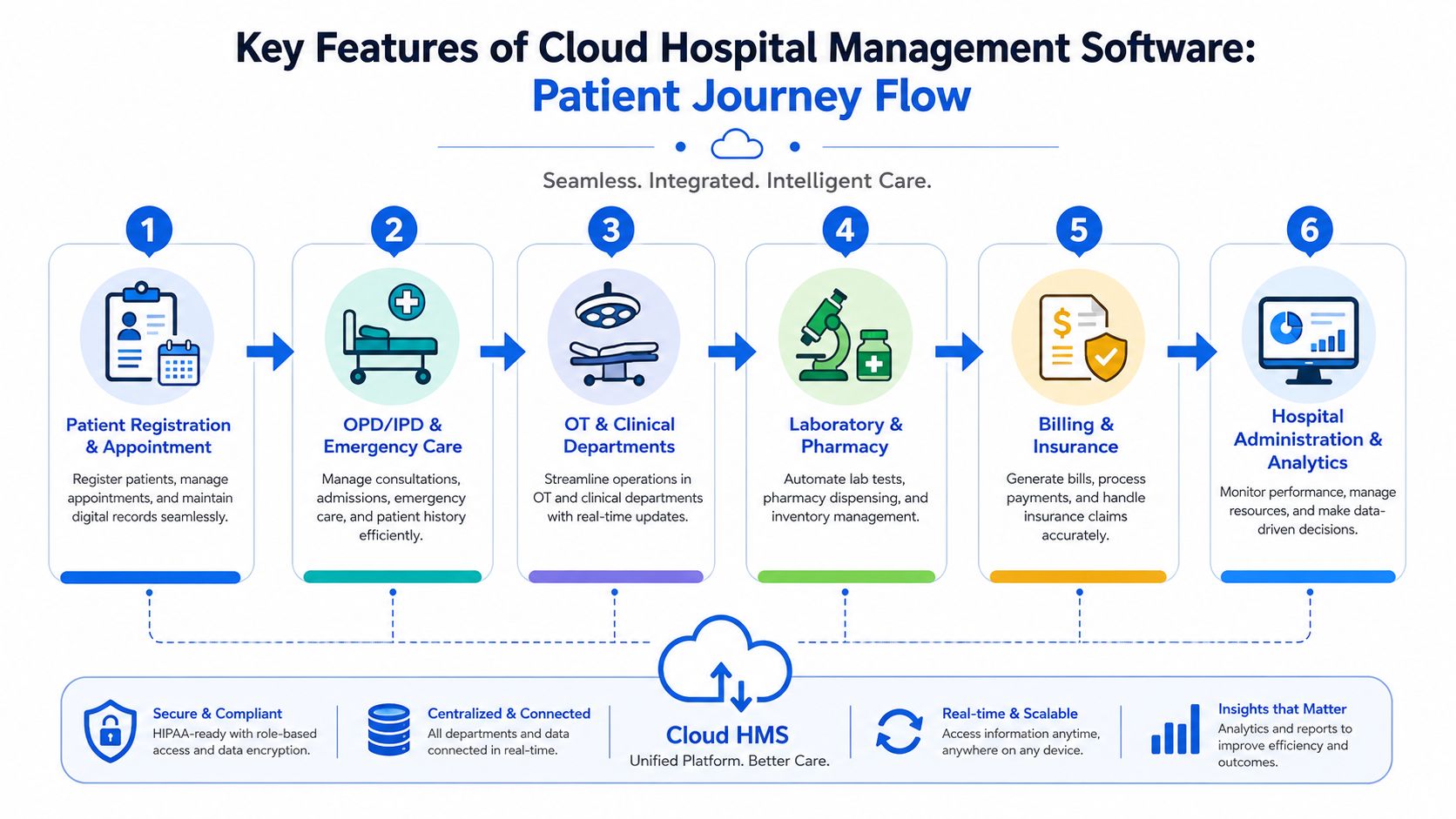
The strongest cloud HMS platforms follow the patient journey instead of presenting an unconnected feature catalogue. Each module should create or consume a shared record, with permissions, workflow rules and auditability applied throughout.
Patient access and clinical care
Patient registration should create a dependable identity that follows the person across appointments, admissions, referrals and follow-up visits. Appointment scheduling can include doctor calendars, department availability, reminders, rescheduling and queue visibility.
OPD, IPD and emergency workflows need different controls. OPD focuses on consultations and orders, IPD adds beds, nursing notes, care plans, transfers and discharge, while emergency care requires rapid registration, triage and immediate clinical documentation. OT management adds scheduling, procedure details, team assignments, consumables and post-operative records.
A useful overview of EMR systems in hospitals can help teams distinguish a clinical record from the wider hospital management layer. EMR or EHR integration should support structured notes, diagnoses, allergies, medications, investigations, discharge summaries and authorised information exchange.
Diagnostics, pharmacy and inventory
Laboratory management should connect orders, sample collection, processing, validation, reporting and clinician access. Radiology workflows can link requests, scheduling, reporting and PACS or image-management systems where required.
Pharmacy management works best when prescriptions, dispensing, returns, substitutions and stock movements connect to the patient and billing records. Inventory management should cover medical supplies, reorder controls, batch information, expiry handling, internal issues and department-level consumption.
A diagnostic centre might register a patient once, generate a laboratory order, track the sample, release the verified report and invoice the service without re-entering demographic details. In a hospital group, central procurement and site-level stock visibility can support more consistent governance.
Financial and administrative control
Billing should support consultation, procedure, package, room, pharmacy, laboratory and other charge types. Insurance and TPA workflows need authorisation tracking, document management, claim preparation, query handling and settlement status.
Accounting should receive accurate transaction data rather than rely on manual summaries. Blocsys’s stated HMS offering includes built-in accounting with Tally synchronization, which can help organisations align hospital operations with existing finance processes.
Reporting should serve different audiences. Department managers may need pending orders and workload views, finance teams may need collections and claims, and executives may need consolidated performance across locations. Role-based dashboards reduce the risk of exposing unrelated information.
For hospitals seeking to automate connected administrative and clinical tasks, hospital workflow automation should be evaluated alongside the HMS itself.
Cloud vs On-Premise Hospital Management Software Compared
Cloud and on-premise HMS can both support serious hospital operations. The decision depends on the organisation’s IT capacity, connectivity, governance model, growth plans, integration needs and preferred operating responsibility.
| Criteria | Cloud HMS | On-Premise HMS |
|---|---|---|
| Infrastructure | Hosted on managed cloud infrastructure | Hosted on hospital-controlled servers |
| Upfront investment | Usually aligned to subscription, implementation and configuration | Requires server, network, storage and deployment planning |
| Maintenance | Provider typically manages platform maintenance and updates | Hospital or a contracted team manages infrastructure and upgrades |
| Accessibility | Authorised users can access the system from connected locations | Access is generally tied to the hospital network unless additional architecture is deployed |
| Scalability | Resources and locations can be expanded through planned cloud configuration | Expansion may require procurement, installation and capacity planning |
| Disaster recovery | Backup and recovery design can be included in the managed service | Hospital must design, fund and test its own recovery environment |
| Customisation | Configuration and approved extensions are usually available | Direct infrastructure and application control may support deeper local customisation |
| Multi-site operations | Suited to shared master data and central reporting | Possible, but may require more network and infrastructure coordination |
| Control model | Provider manages defined technical layers | Hospital retains more direct control over infrastructure |
Which model fits which hospital?
Cloud is often suitable for hospital groups, growing clinics, healthcare startups and organisations that want central access without building a large infrastructure operation. It also aligns well with interoperability, analytics and multi-location management when the provider has a mature integration model.
On-premise can make sense where connectivity is constrained, internal infrastructure expertise is strong, local governance requires direct control, or legacy devices depend on a controlled network. It isn’t automatically more secure. Security depends on identity management, patching, monitoring, backup discipline, access controls and incident response in either model.
A hospital can also assess specialist technology separately from HMS deployment. For example, Blockchain Development may be relevant to an organisation evaluating secure, scalable applications across public, private or hybrid blockchain networks, but it shouldn’t be introduced into a hospital workflow without a defined clinical, operational or governance use case.
Security Data Privacy and ABDM Integration in Cloud HMS
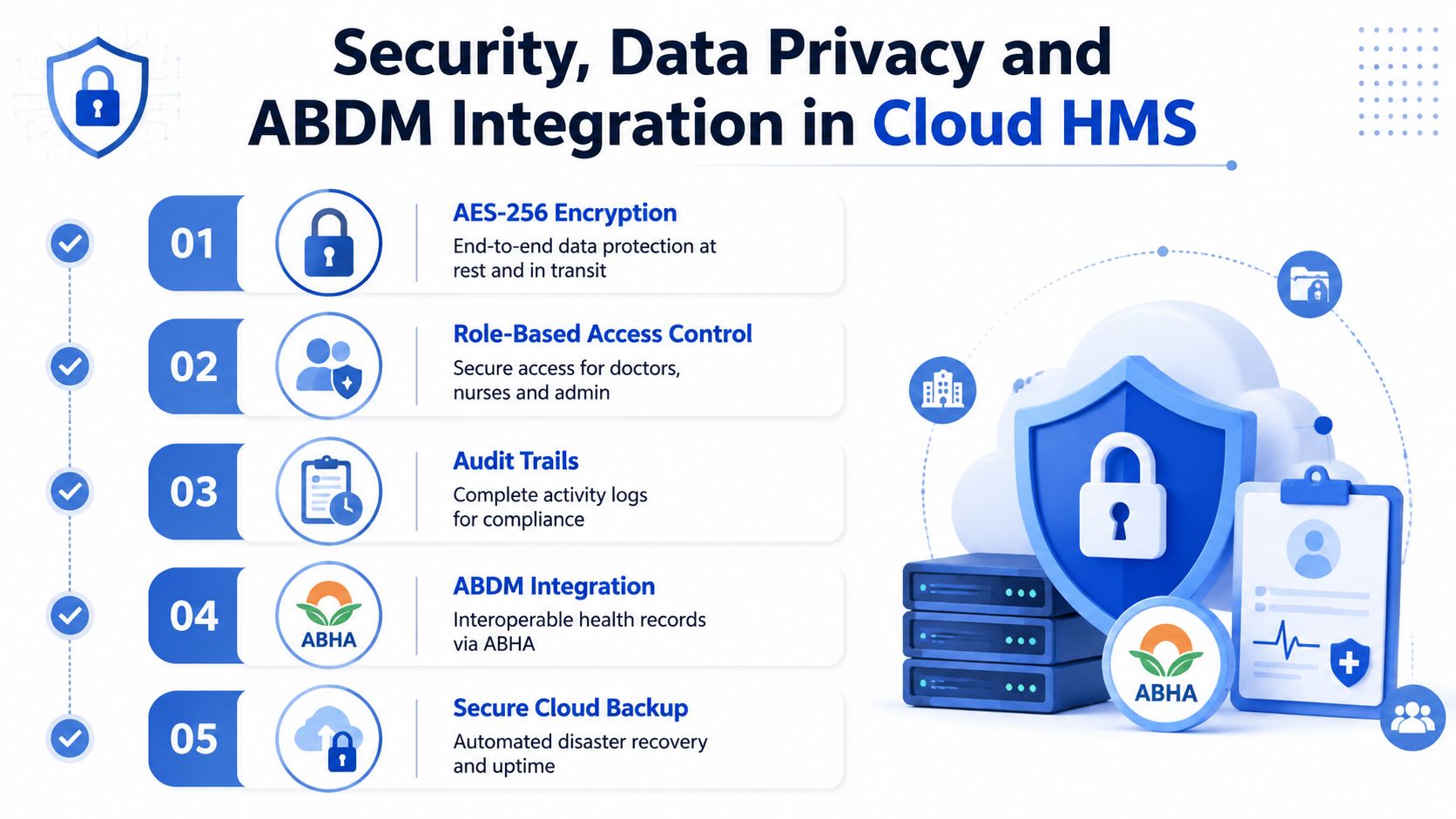
A cloud HMS may host registration, clinical notes, pharmacy transactions, billing and reports in one environment. That convenience also concentrates sensitive information. Cloud HMS security is a system of controls, not a product label. Hospital owners and CIOs should assess encryption, identity management, access governance, audit trails, backup design, vulnerability management, incident response and vendor responsibilities as one operating model.
For India-focused deployments, teams should examine AES-256 encryption, DPDP Act 2023 compliance and ABDM certification. Seht’s discussion of medical-record cloud storage safety in India offers context on the safeguards expected for cloud-based medical-record storage. The practical question is whether the provider can demonstrate these controls, document responsibility and support them across every hospital location.
Controls that deserve practical testing
A vendor demonstration should use realistic workflows, not only a feature tour:
- Role-based access: Doctors, nurses, pharmacists, laboratory users, finance teams and administrators should receive only the permissions their duties require.
- Audit trails: The system should record meaningful user activity, including changes to clinical, financial and administrative data.
- Encryption: Data should be protected in transit and at rest, with clear key-management responsibilities.
- Backup and recovery: Ask how backups are created, protected, restored and tested. “Automated backup” alone does not explain recovery performance.
- Consent and disclosure: The platform should support consent handling and controlled information sharing.
- Vendor governance: Contracts should define responsibilities for availability, incident handling, retention, export and termination.
A useful test is a staff-access scenario. A nurse may need medication and care details, while a finance user may need billing information but not clinical notes. The platform should apply those boundaries consistently and retain an audit record when access changes.
India’s EHR standards were first notified by the Ministry of Health & Family Welfare in September 2013. The published standards also state that existing Indian laws, including the IT Act 2000 and its amendments, prevail. Hospitals can review the EHR standards for India notification while defining interoperability and compliance requirements.
ABDM is part of the architecture
ABDM should be treated as an architectural requirement, not a later add-on. The platform needs support for FHIR-based exchange, Health Facility Registry and Healthcare Professionals Registry onboarding, consent-based record movement, and controlled data flows across OPD, pharmacy, discharge and referral workflows.
That design connects clinical, operational and financial work. A patient registered at one branch can be matched carefully with records from another, while authorised teams use the information needed for care, billing or reporting. Shared governance still matters, because multi-location access increases the need for clear roles, consent rules and audit review.
Hospitals can examine the privacy implications in DPDP compliance guidance for hospital management systems. The review should cover collection, purpose, access, retention, disclosure, patient requests and data export, alongside ABDM integration decisions.
How to Choose Implement and Budget for Cloud HMS
A hospital should not select cloud HMS from a feature checklist alone. The better approach is to evaluate whether the platform can support the organisation’s real workflows, integration obligations and operating model.
Start with workflow evidence
Document how a patient moves from registration to discharge. Include exceptions, such as duplicate records, cancelled procedures, rejected claims, amended laboratory reports, pharmacy returns, emergency transfers and inter-branch referrals. Ask vendors to demonstrate those scenarios using your terminology and approval rules.
Check these areas before signing:
- Clinical fit: Can departments configure templates, orders, notes, discharge summaries and approvals?
- Integration depth: Are APIs, FHIR exchange, ABDM connectivity, PACS, laboratory devices, payment systems, Tally and insurance workflows supported?
- Group readiness: Can the system manage shared doctors, departments, price lists, inventory policies, reporting and access across locations?
- Data ownership: Can the hospital export its data in a usable format if it changes providers?
- Operational support: Who handles configuration, training, incidents, upgrades, monitoring and recovery testing?
- Adoption design: Can the interface support reception, nursing, clinicians, laboratory staff, pharmacists, finance teams and administrators without forcing one workflow on everyone?
Use a controlled implementation roadmap
A practical rollout usually begins with discovery and process mapping. The team then defines master data, roles, integrations, migration rules and reporting requirements before configuring the platform.
Pilot one suitable department or site, validate the workflow with actual users, correct data and permission issues, and then expand in controlled waves. Training should be role-specific. A nurse needs a different learning path from a billing executive or system administrator.
Implementation advice: Treat data migration and user adoption as clinical-operational work, not as technical housekeeping.
Cost depends on the number and complexity of modules, users, locations, integrations, customisation, data migration, ABDM requirements, training, support and deployment model. A subscription may be appropriate for a standardised operation, while custom hospital management software development may suit a hospital group with specialised workflows.
Teams can use the Blocsys Software Development Cost Estimator to frame early planning questions, then validate the estimate through a detailed discovery process. For a focused view of pricing considerations, review hospital management software cost.
Why Choose Blocsys for Cloud Hospital Management Software
Hospitals need a technology partner that understands the difference between a front-desk application and a connected hospital information system. Blocsys is a healthcare software development company that works across cloud hospital management systems, hospital software, EMR and EHR integration, healthcare automation, AI healthcare solutions and enterprise software development.
Its HMS offering can support managed cloud SaaS or on-premise deployment, with configurable modules for role-based access, audit trails, clinical workflows, billing, pharmacy, laboratory, inventory, insurance and claims. Built-in accounting with Tally synchronization is relevant for hospitals that need operational transactions to align with existing finance processes.
The right engagement depends on the organisation’s starting point. A clinic may need patient management, appointments, billing and pharmacy. A hospital group may need shared master data, multi-location reporting, ABDM integration, EMR interoperability, claims workflows and stronger governance. A healthcare startup may require a custom SaaS hospital software foundation that can evolve as its service model changes.
Blocsys can be evaluated for healthcare software development services, alongside its pages for hospital management system development and hospital information management system development. The decision should ultimately rest on workflow fit, security accountability, integration capability, implementation discipline and long-term maintainability.
Blocsys Technologies offers cloud hospital management software development, custom HMS development, EMR and EHR integration, ABDM integration, hospital workflow automation and enterprise healthcare software for hospitals, clinics, diagnostic centres and healthcare startups. Visit Blocsys Technologies to discuss your current workflows, deployment requirements and next practical step.
